This topic includes the following information:
The following are a set of calculated field sample expressions.
Unix times, defined in the seconds elapsed since January 1st, 1970 ("Epoch" time) are particularly useful because they represent all timezones at once. You can import data sources with unix timestamps and convert them into usable dates with the date formula.
((([Unix Time Stamp]/60)/60)/24)DATE(1970,1,1)([Timezone]/24)
Where:
Original Field: [Unix Time Stamp]
Convert to Minutes: /60
Convert to Hours: /60
Convert to Day: /24
Adding Epoch Time: +DATE(1970,1,1)
Adding Timezone: +([Timezone]/24)
The timezone can be entered as a number, or you can use one of your fields with a number. In either case, it must be GMT time.
You can create calculated fields, for example, to carry out a simple YOY analysis.
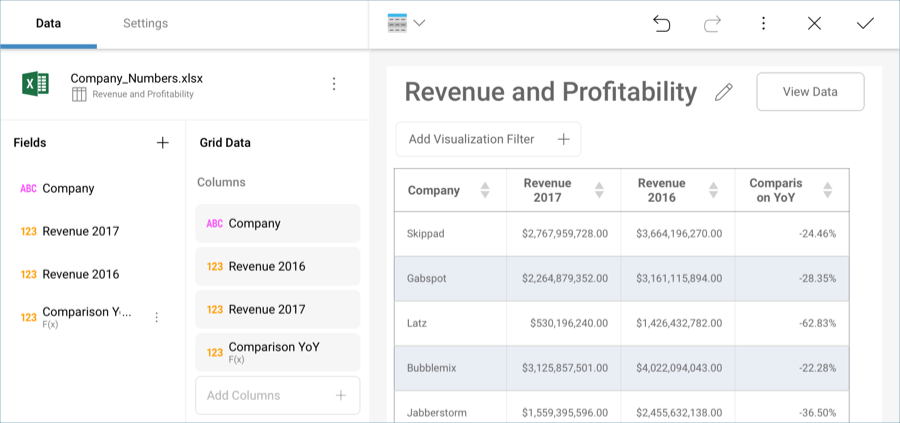
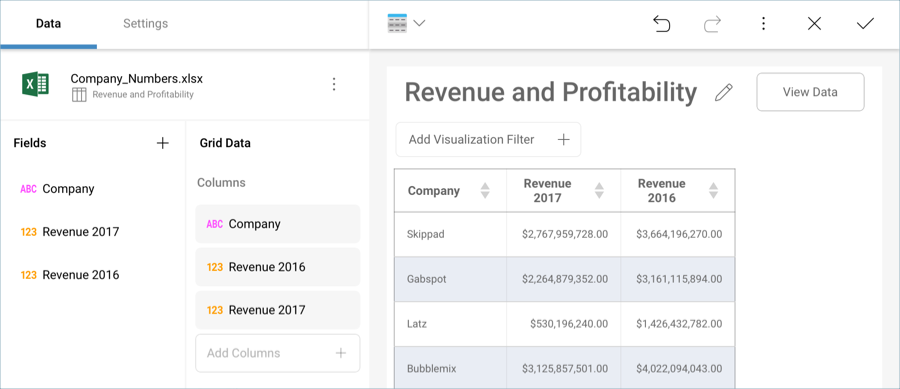
Let’s take a look at the following dashboard, which has the different divisions for a company and the revenue they represented during two different years.
You can compare the two figures by using the following calculated field. The "-1" is used to substract the total difference for the year.
([Revenue 2017]/[Revenue 2016])-1
You can then either keep the number, or format it as a percentage.